> ## Documentation Index
> Fetch the complete documentation index at: https://cantonfoundation-docs-splice-portfolio-ui.mintlify.site/llms.txt
> Use this file to discover all available pages before exploring further.
# DevNet Faucet
> Use the faucet to receive test tokens on DevNet for deployment and testing.
This feature is available on DevNet only.
The faucet lets you receive test tokens for deployment and testing purposes.
## Tap the Faucet
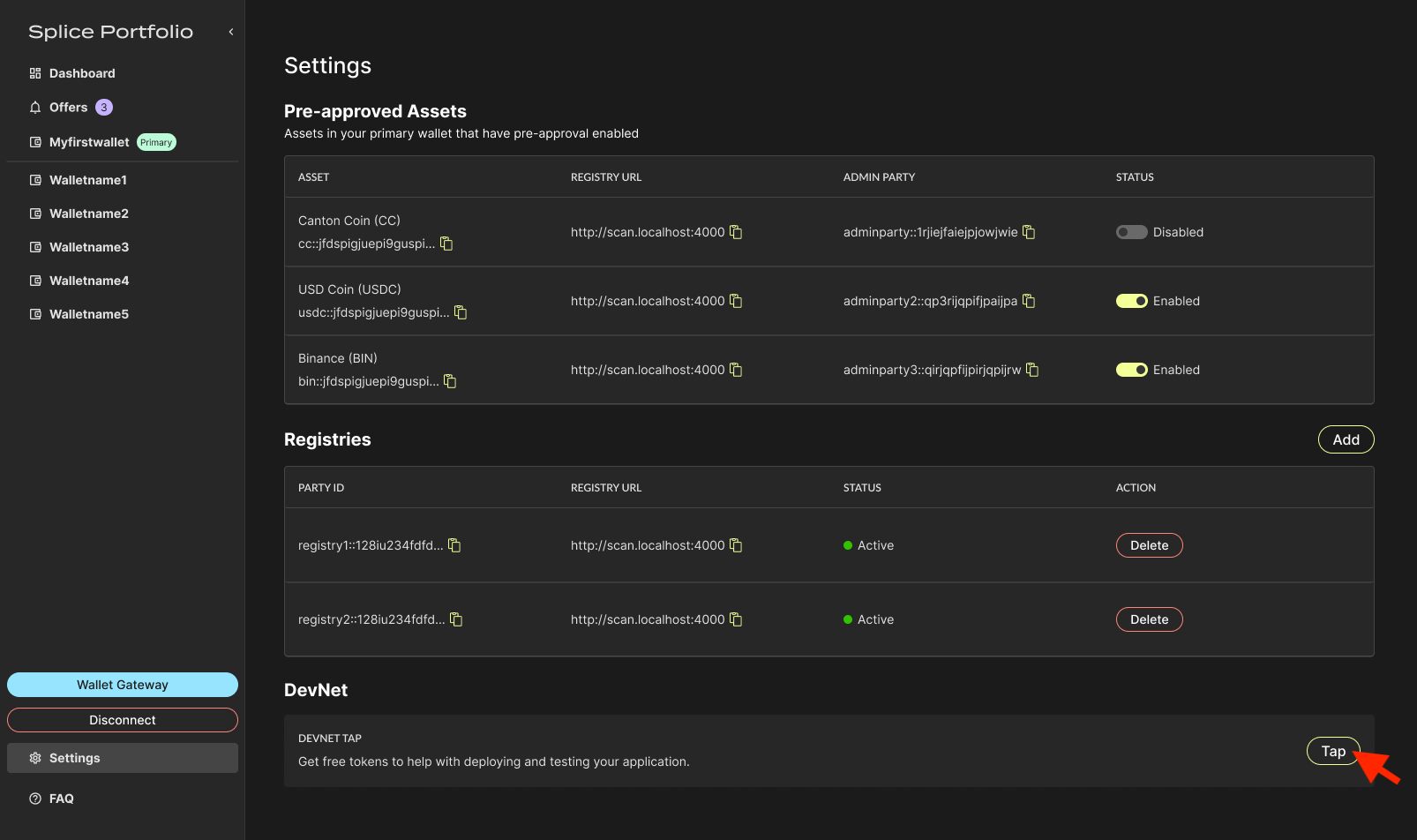
Go to the **Settings** page, navigate to the **DevNet** section, and click **Tap**.
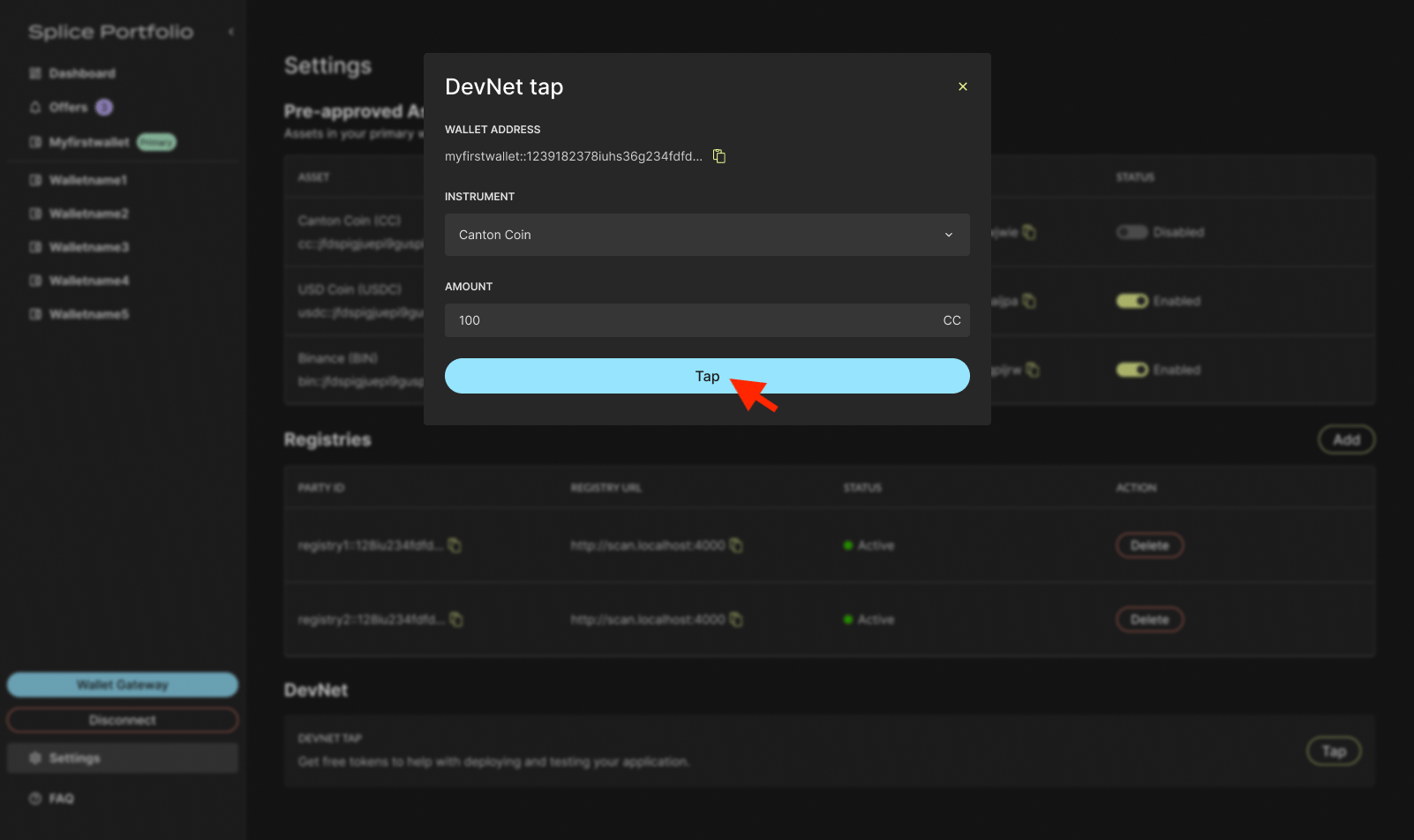
 Select the instrument type, enter an amount, then click **Tap**.
 To complete this action, go to your CIP-103 wallet to complete signing.
## Next Steps
* [Switch Parties](/sdks-tools/development-tools/splice-portfolio/switch-parties) -- Change which party receives the tapped tokens
* [Transfers](/sdks-tools/development-tools/splice-portfolio/transfers) -- Send your test tokens to another party
To complete this action, go to your CIP-103 wallet to complete signing.
## Next Steps
* [Switch Parties](/sdks-tools/development-tools/splice-portfolio/switch-parties) -- Change which party receives the tapped tokens
* [Transfers](/sdks-tools/development-tools/splice-portfolio/transfers) -- Send your test tokens to another party