A registry is a Daml application that can issue, service, and govern digital assets. You will need to add at least one registry to Splice Portfolio in order to view assets and conduct transfers and allocations. You can do this in the configuration file in the deployment documentation or in the UI.

Add a Registry from Settings

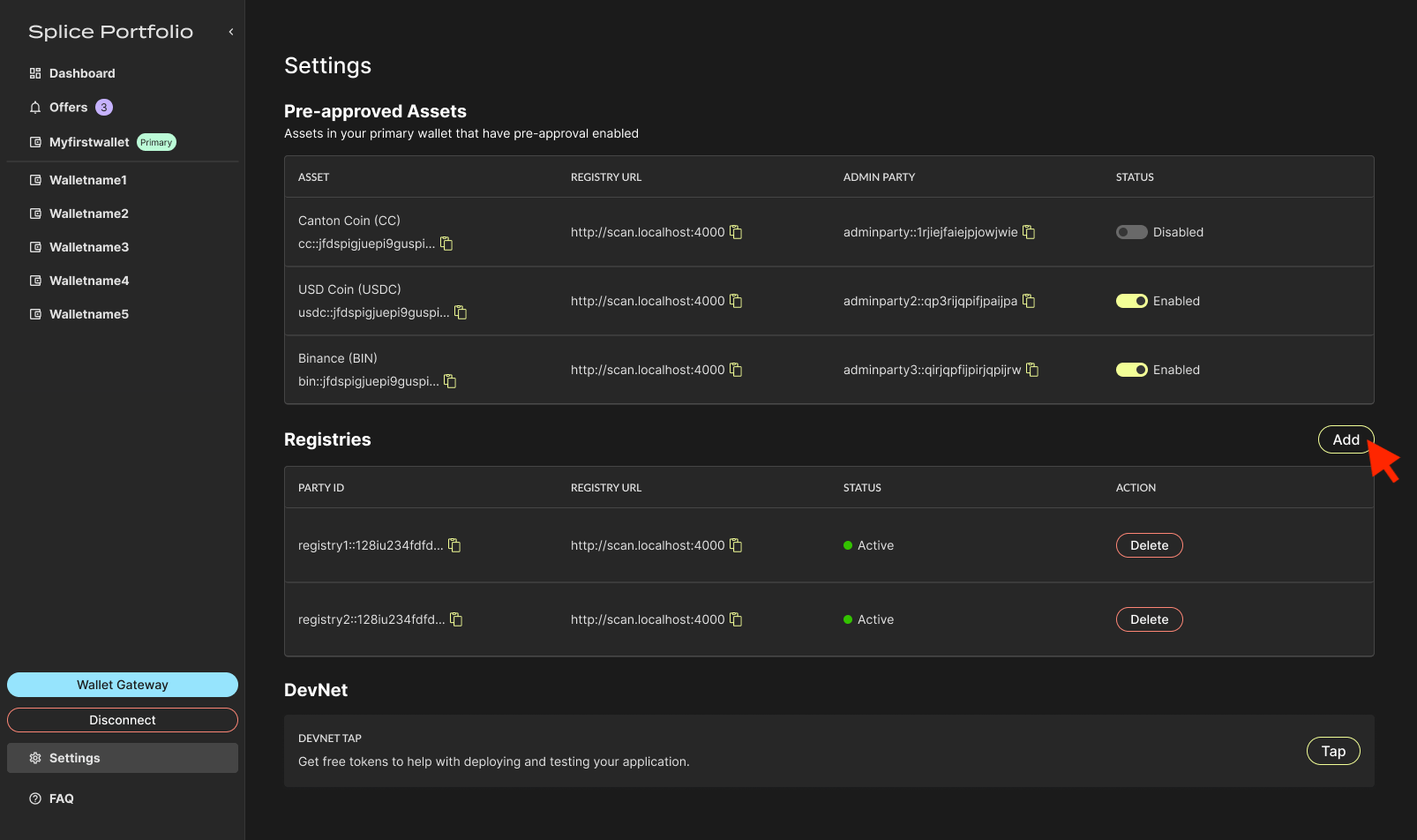
  1. Go to Settings, navigate to the Registries section, and click Add. Registries section of the Settings page with the Add button
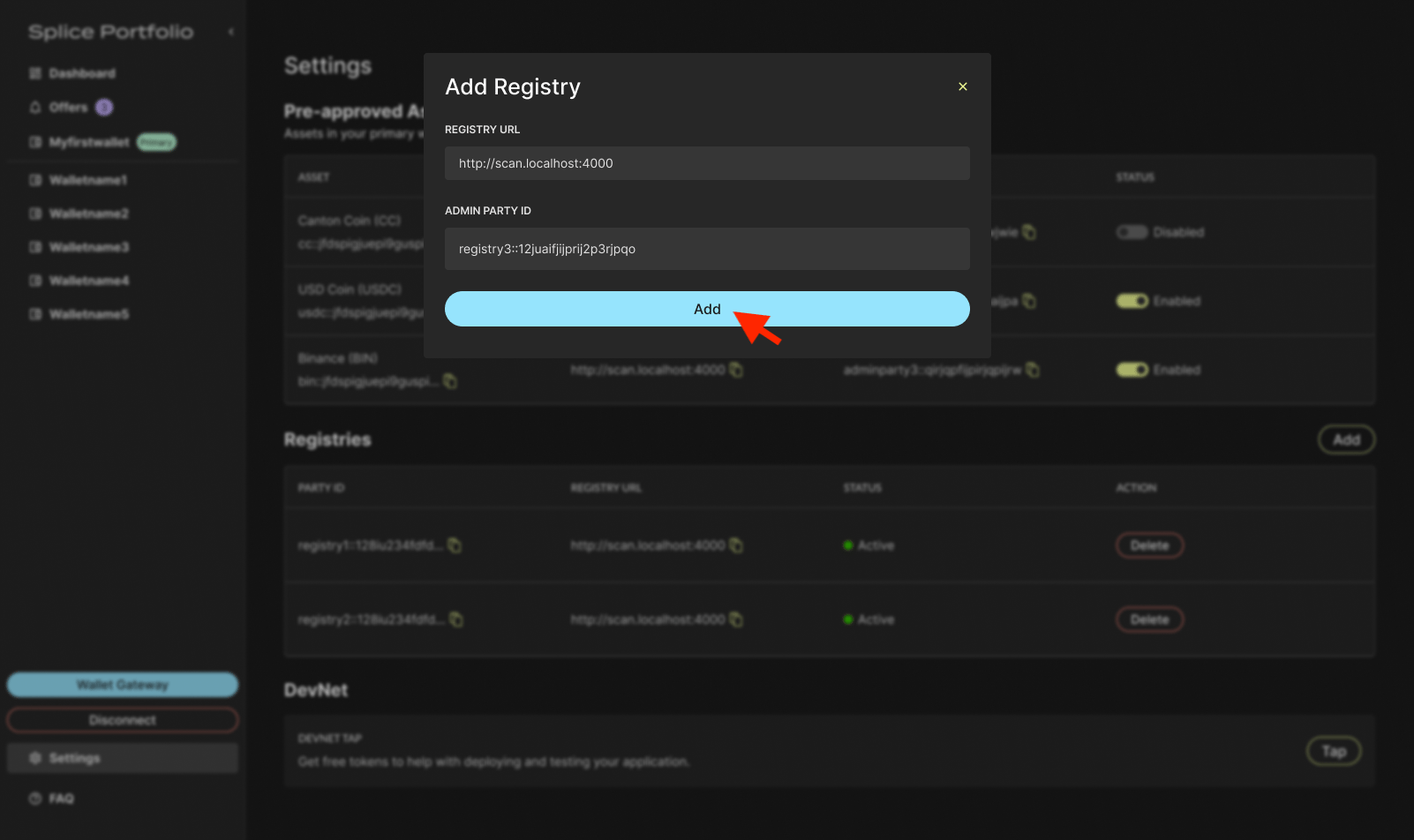
  2. Enter the registry URL and the admin party associated with the registry, then click Add. Form for entering a registry URL and admin party
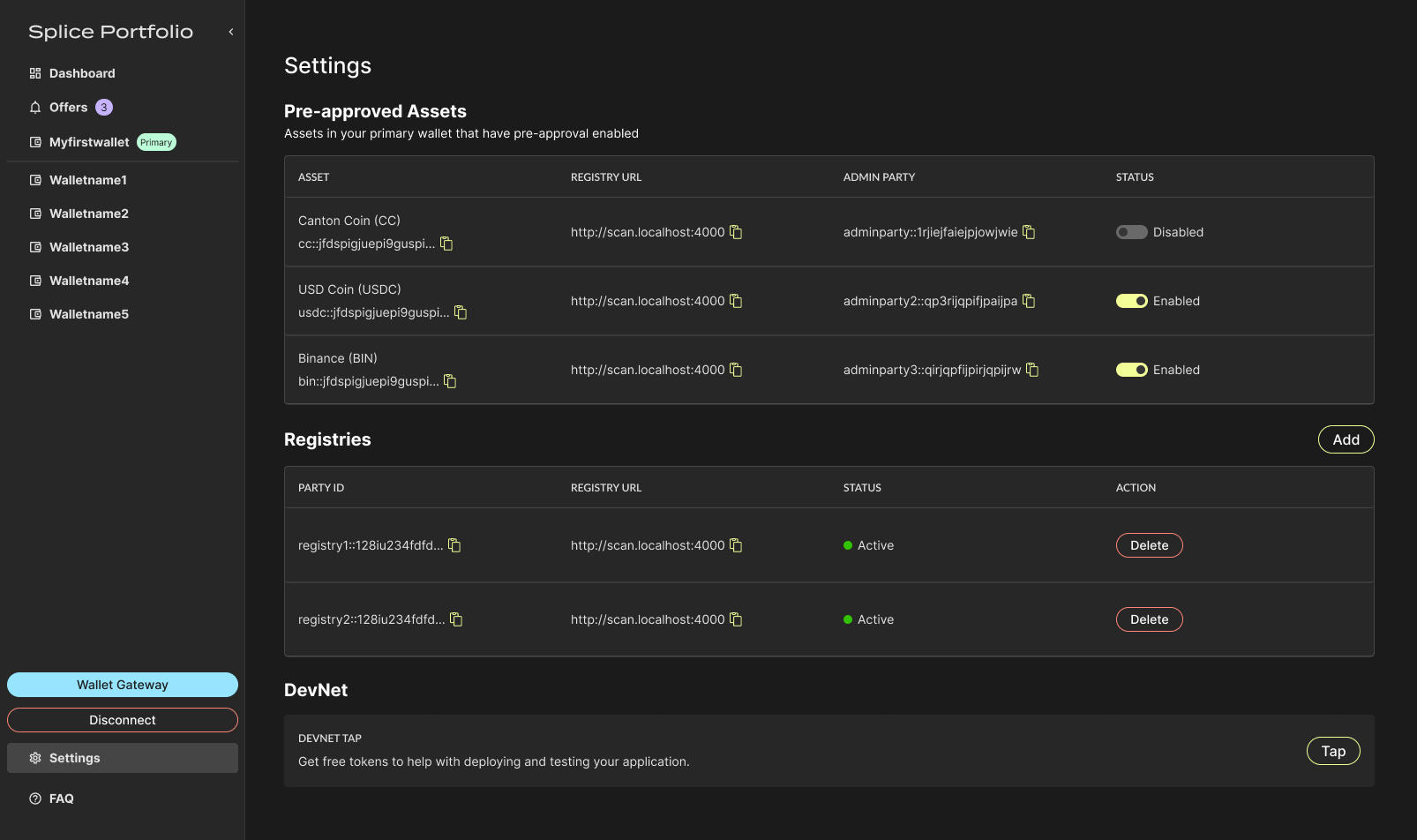
  3. View and delete registries in the Registries section. Registries listed in the Settings page
Next Steps