

This feature is available on DevNet only.
Tap the Faucet
1
Open the DevNet section
Go to the Settings page, navigate to the DevNet section, and click Tap.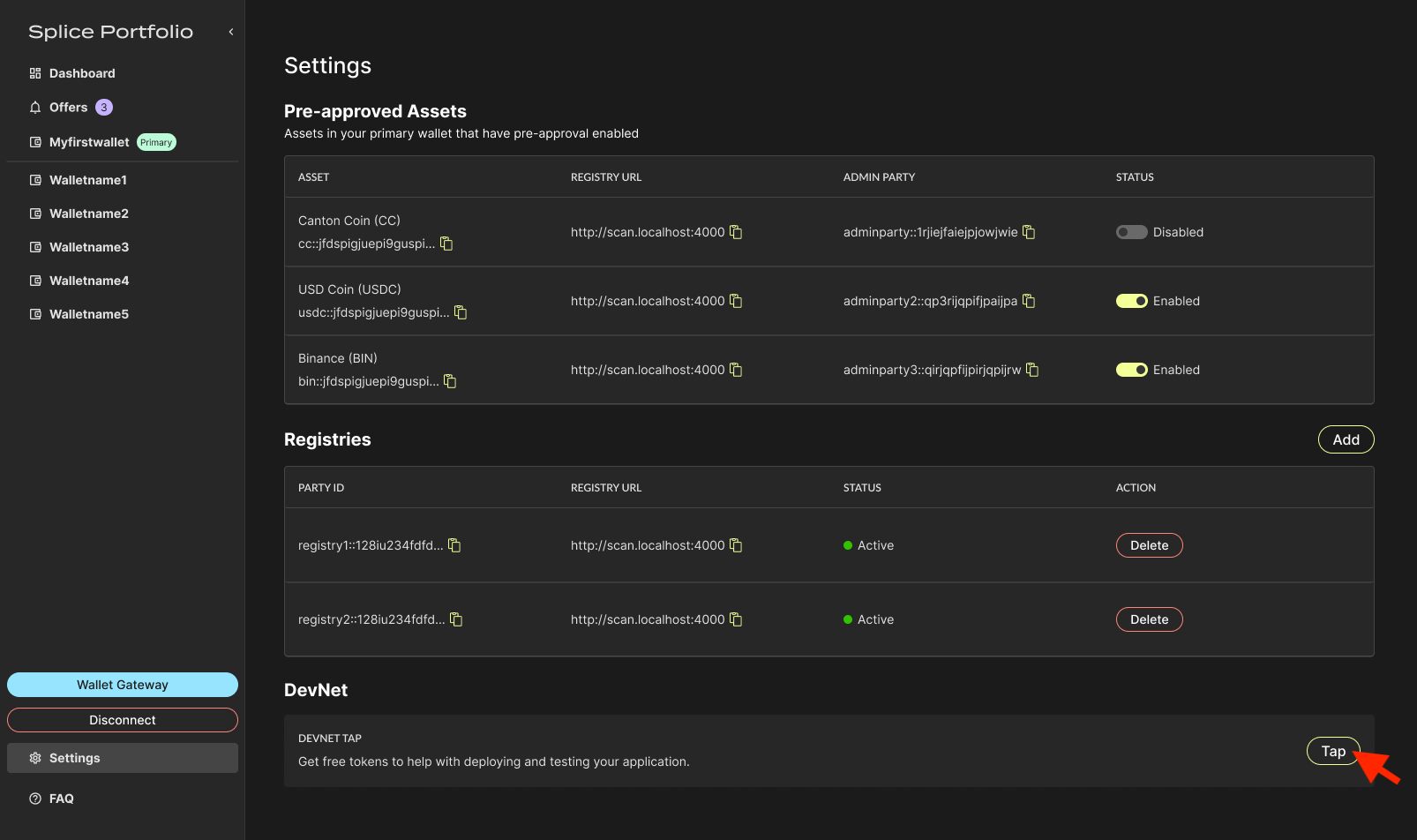
2
Choose an instrument and amount
Select the instrument type, enter an amount, then click Tap.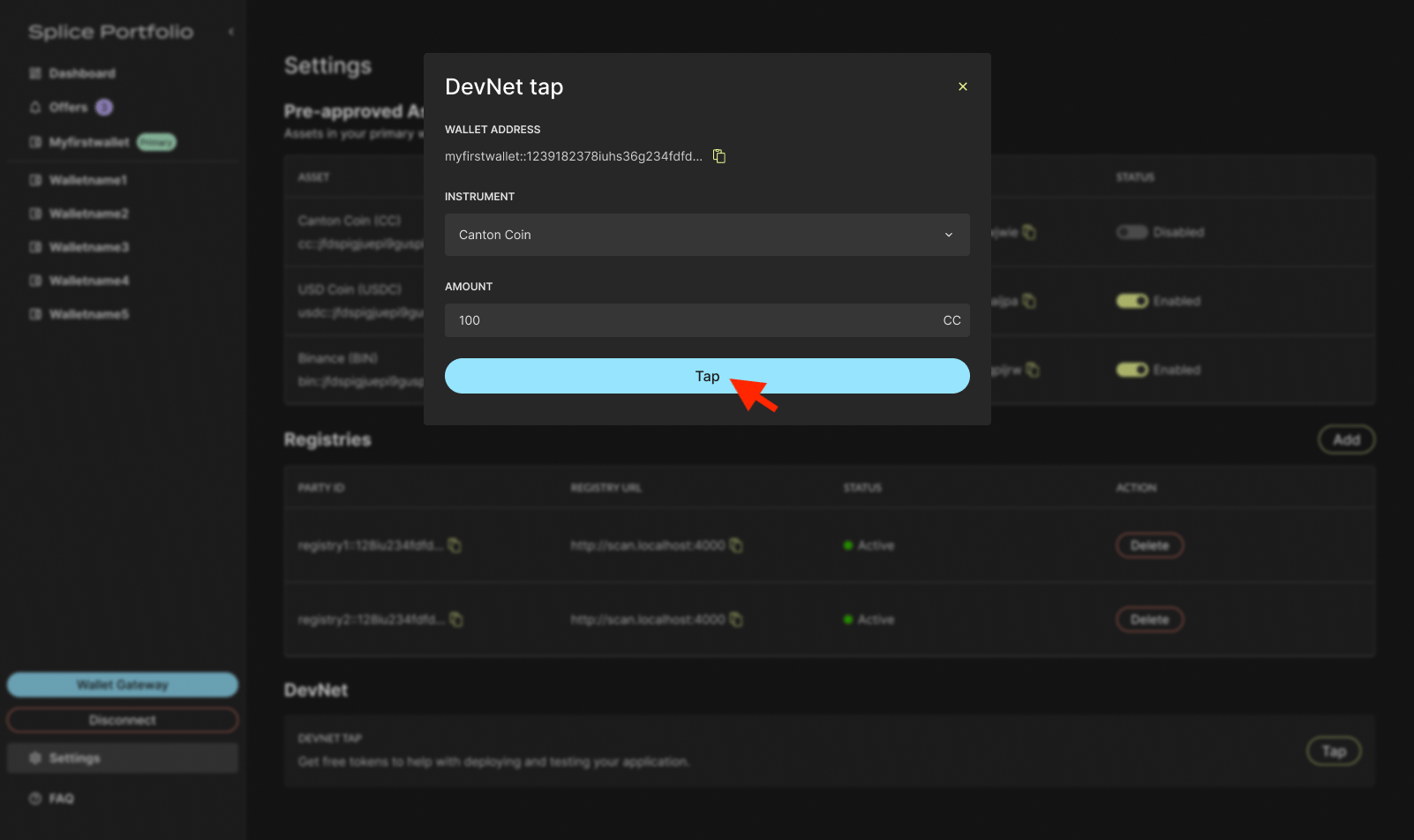
3
Sign in your wallet
To complete this action, go to your CIP-103 wallet to complete signing.
Next Steps
- Switch Parties — Change which party receives the tapped tokens
- Transfers — Send your test tokens to another party