

Allocation requests can only be received and actioned from the Splice Portfolio, they cannot be initiated or created.
Allocate Assets to an Allocation Request
There are two ways to allocate assets to an allocation request.-
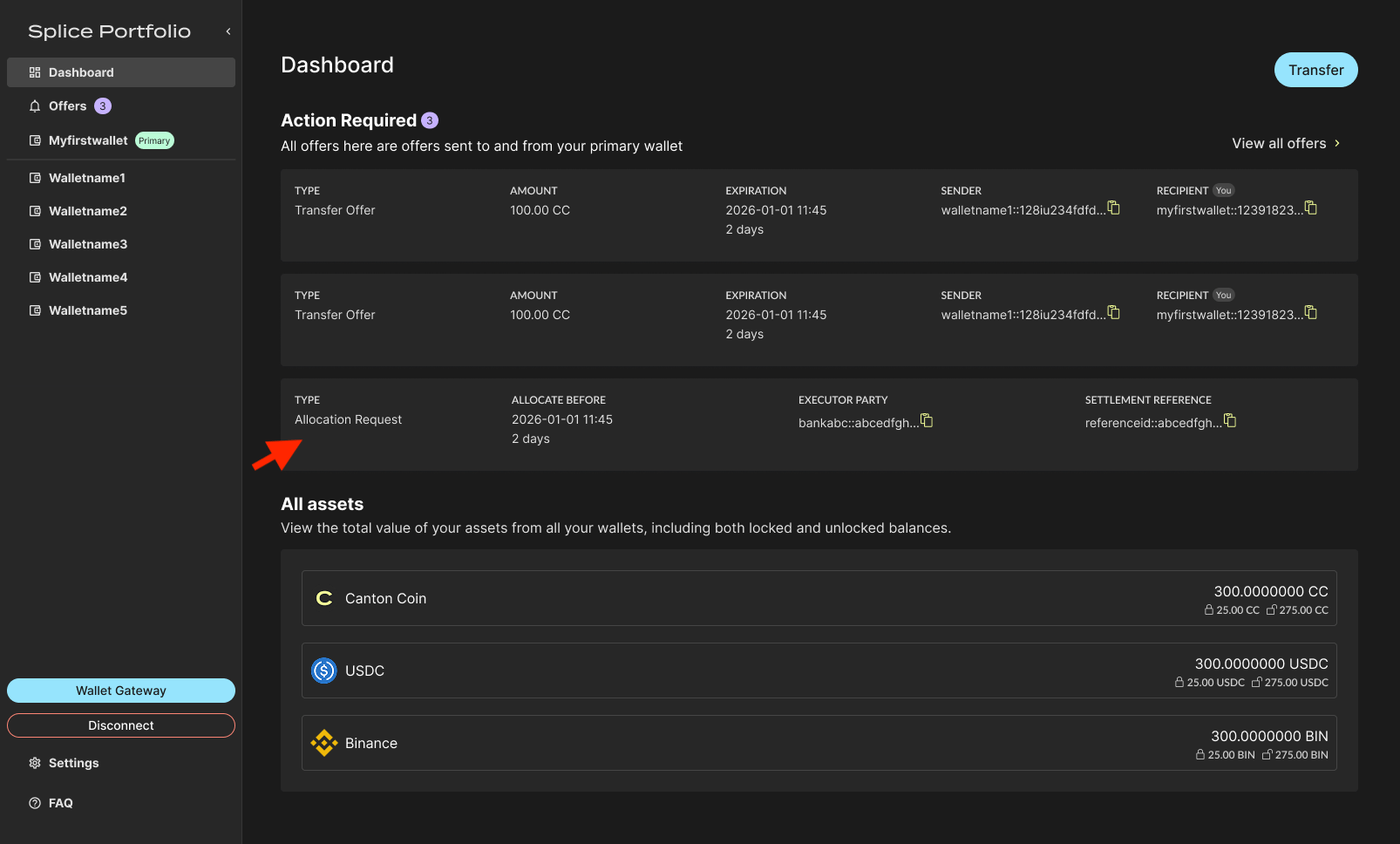
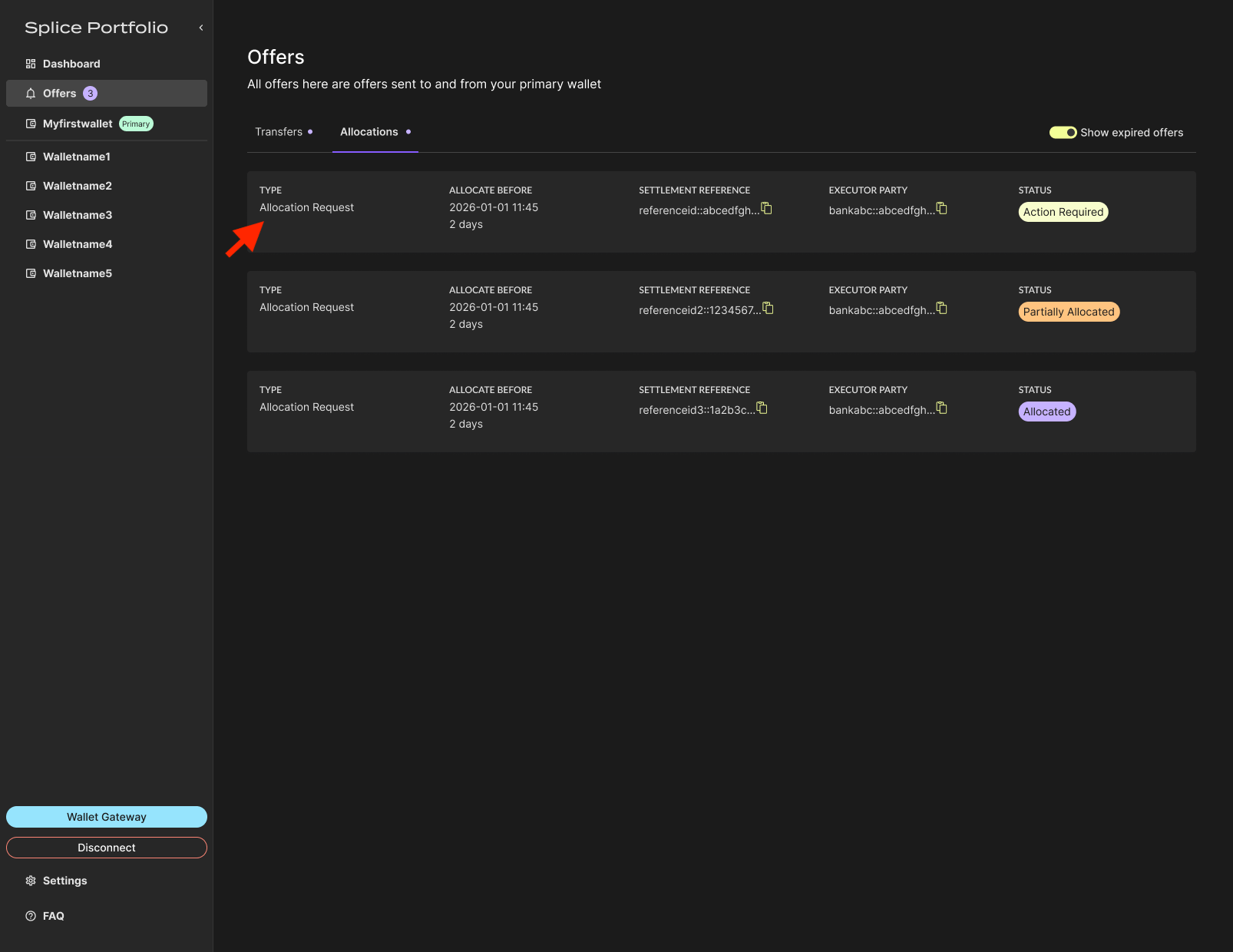
From the Dashboard, select the allocation request.
-
Click Allocate for each trader leg where you are the sender.
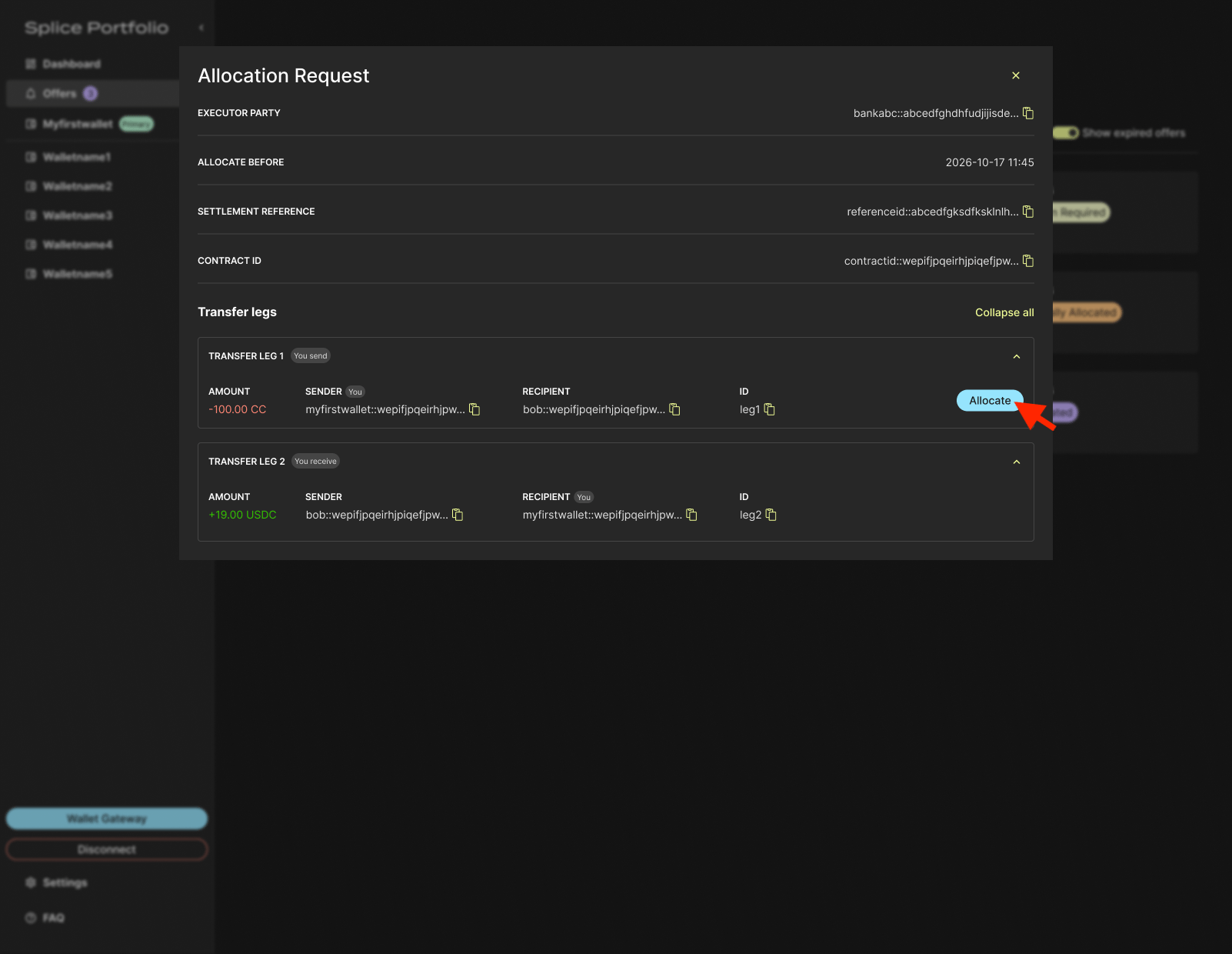
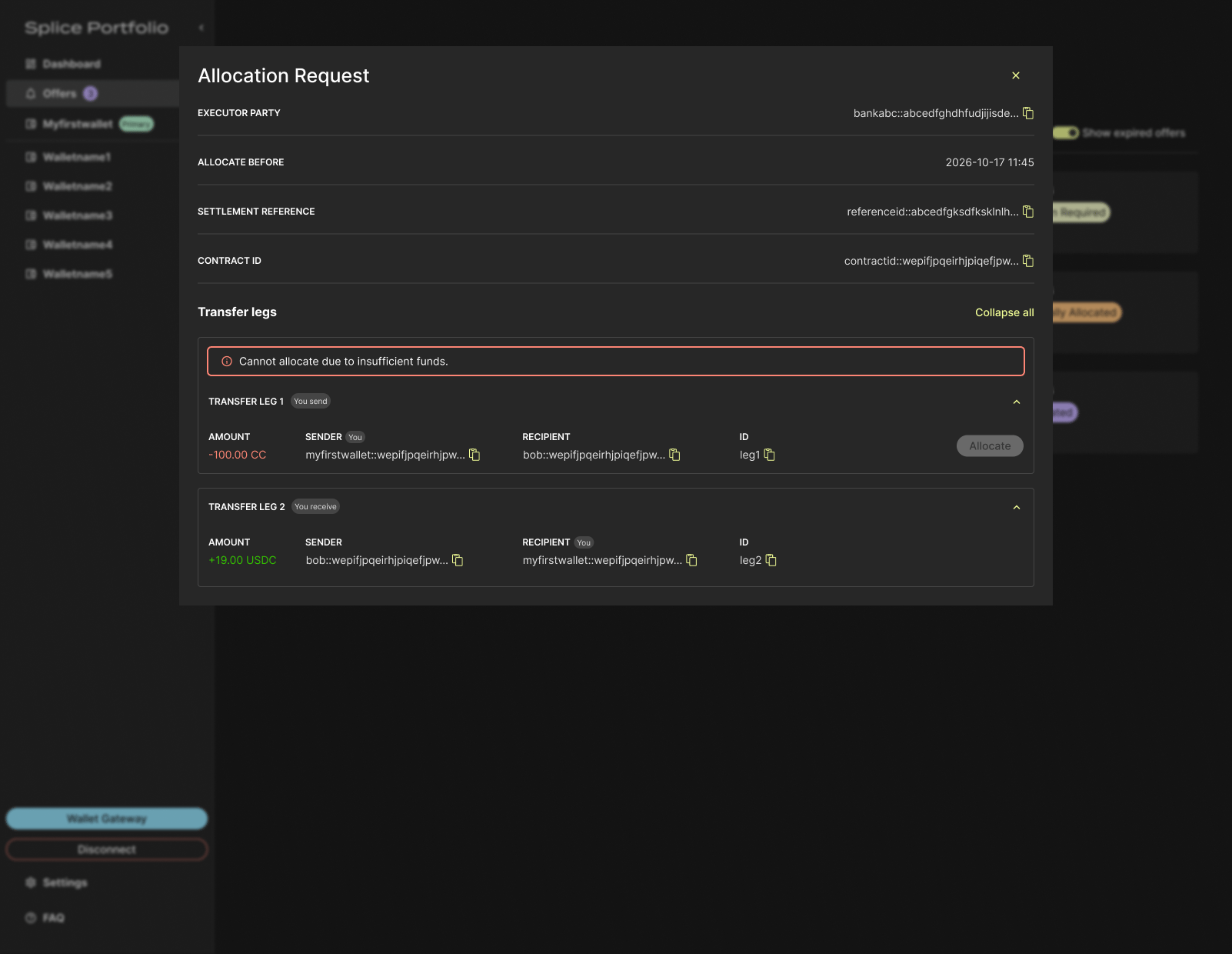
- To complete this action, go to your CIP-103 wallet to complete signing.
-
Review the allocated request in Offers > Allocations.
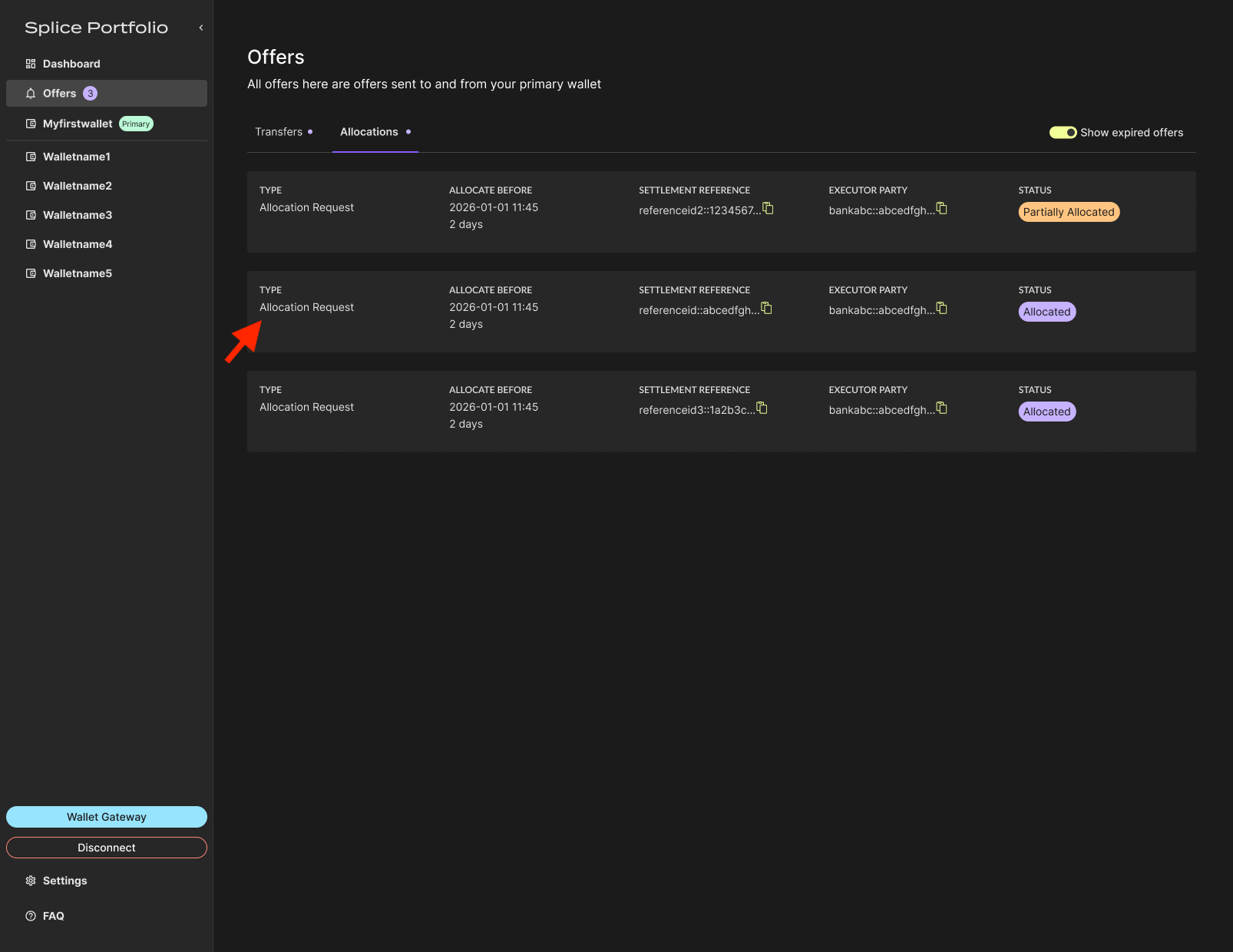
The allocated request remains in the Incoming tab because it is still pending and cannot be executed until the Allocate Before date. Until that date, you can withdraw your allocation if needed.
Withdraw Allocations
Allocated offers can be withdrawn until the Allocate Before date.-
Navigate to Offers > Allocations and select the allocated allocation request.
-
Open the allocation request and click Withdraw for one or more transfer legs.
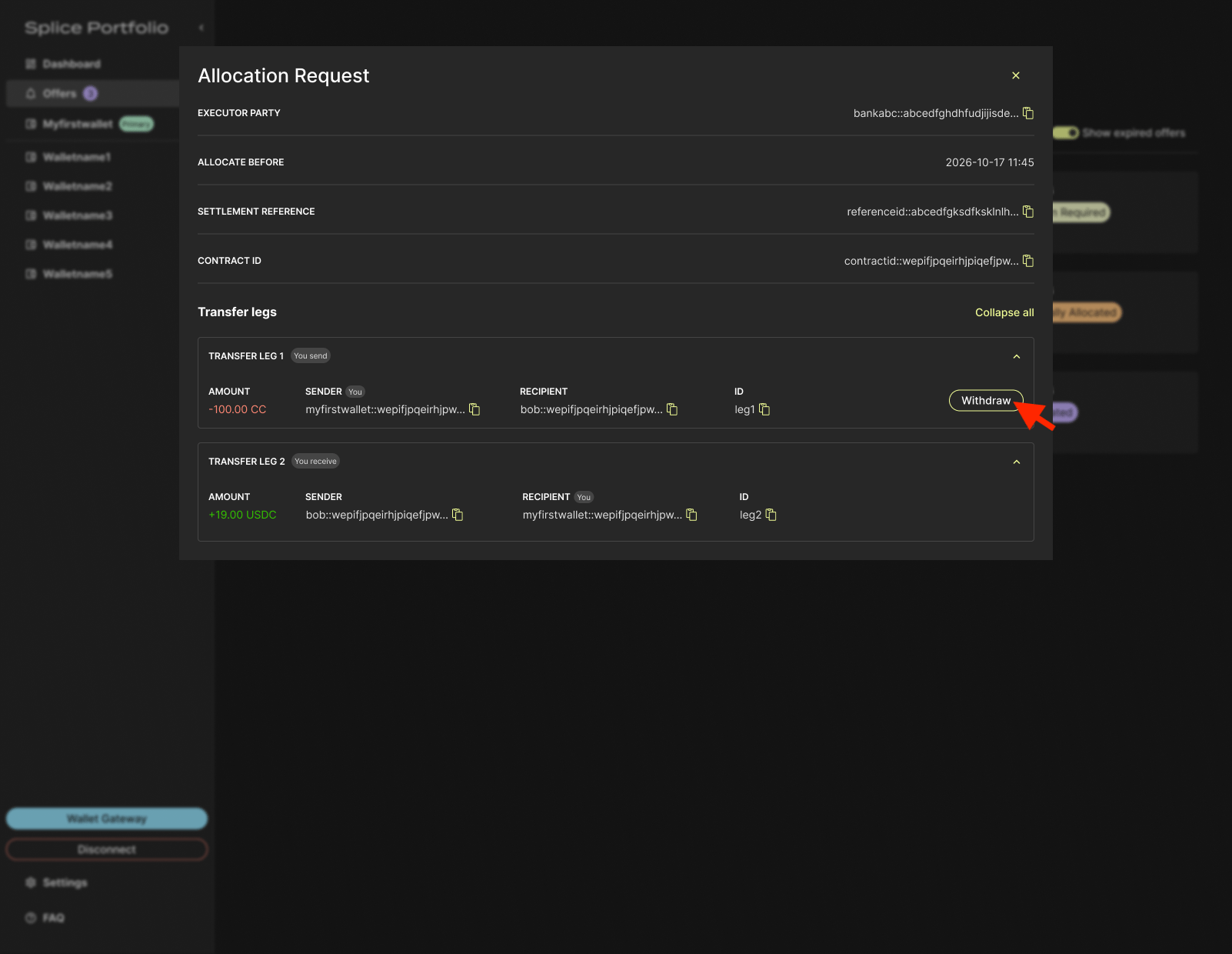
- To complete this action, go to your CIP-103 wallet to complete signing.
You can re-allocate or withdraw one or more legs as many times as needed until the Allocate Before date.
Next Steps
- Add a Registry — Make a registry’s assets available to allocate
- Switch Parties — Act on allocation requests sent to a different party